
As a business owner, you have many responsibilities and activities that you have to deal with on a daily basis.
One of these tasks is overseeing the management of your IT Infrastructure. You may already have an administrator doing these day to day functions, but you want to make sure that you know what is happening… After all, it is your brand and reputation that are at stake.
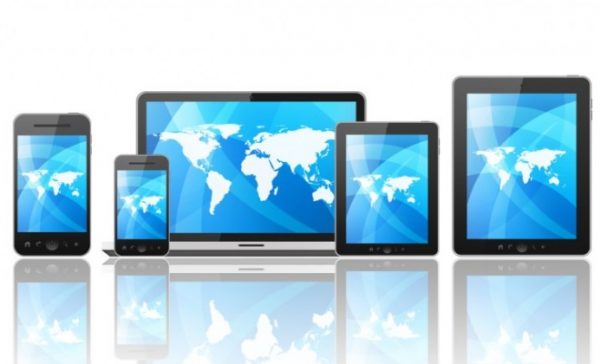
This also includes the management of all of your wireless devices that your workers are using, whether they are on the road or simply working remotely.
However, monitoring each and every device can be a very time-consuming process. Therefore, this role needs to be centralized. This is where “Mobile Device Management” or “MDM” comes into play.
You may be asking at this point, what is “MDM”, and how will it benefit my business?
Mobile Device Management can be defined as follows:
“MDM is a tool that allows IT Administrators to centrally control, secure, and enforce policies on smartphones, tablets, notebooks, laptops, etc. and other wireless endpoints.”
The tool that is mentioned in the definition can actually be a software package that consists of an MDM server and an MDM agent. The server component resides on a server that you use to conduct your day to day business operations. The MDM agent is a mobile app that is stored on the wireless devices that your employees use.
Now this is where it can get interesting…
All configurations, changes, etc. are done through a specialized console in the MDM server. From there, with a few clicks of the mouse, these changes are then pushed out to all of the MDM agents. This automatically updates all of the wireless devices.
As you can see, a big advantage here is the time savings. Everything is now centralized and can be managed or changed in a matter of minutes.
The communications that takes place between the MDM Server and the MDM agent is done through an Application Protocol Interface (also known as an “API”). This “API” is integrated into the operating system (or “OS”) of each wireless device.
The benefits that an MDM package can bring to your business can make things a bit easier. Some of the benefits include:
- Device enrollment:
As you hire a new employee, you don’t have to physically access their device in order to enroll it into your network. This task can be accomplished via “Over the Air” (or “OTA”) functionality. You can also quickly create customized user profiles for each of your employees.
- Auditing capabilities:
You can obtain real time information on a particular wireless device from anywhere you are at. This is very useful in making sure that your employees are abiding by the Security policies you have put in place. This functionality is very advantageous when it comes to password enforcement.
- Device inventory and tracking:
You no longer have to keep a running list of all of your wireless devices on a spreadsheet, you can do all of this in the MDM Server.
- Monitoring functionalities:
You can monitor and keep track of all of the daily activities that takes place on a wireless device from the date that it was first issued to the date when you retire it.
- Remote wipe capability:
In case your employee loses their wireless device or in the event that it is stolen, you can quickly issue a “Remote Wipe” command. This will automatically erase all of the confidential information and data that reside on it.
As you can see, making use of an MDM software package for your business not only saves you time and money, but it also adds an extra layer of defense in your Security arsenal.
Want to know more about MDM? Contact us for more information!