
One of our previous posts reviewed what a Password Manager is all about. Remember that one of the biggest annoyances for a small business is the password.
For example, as a business owner not only will you have your own multitude number of passwords to remember, but you’ll also have to manage your workers’ passwords as well.
This too can be an administrative headache as well.
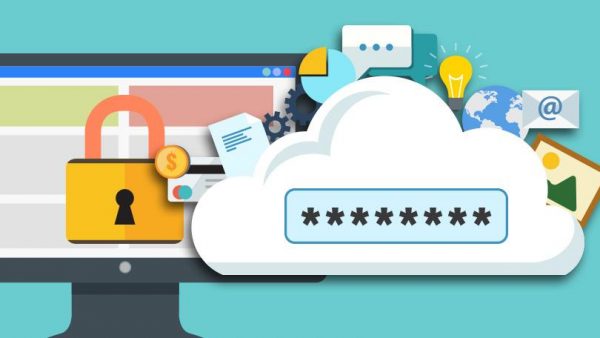
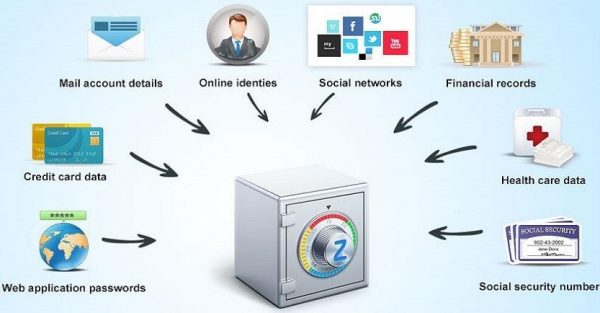
A Password Manager (something along the lines of LastPass) is essentially a software package that does exactly what its name implies. Best of all, it can create long and complex passwords that are difficult to crack, and store them in a secure area so that they can be recalled as needed.
Alerts can also be set up according to your security policy in the Password Manager notifying you AND your workers when it’s time for a new password.
What You Really Need to Know About Password Managers
Although your small business may now have a Password Manager deployed, you still need to give extra thought as to how best to use it effectively.
It is important to remember that Password Managers too, just like the Passwords themselves, are also prone to cyberattacks (especially with weak passwords).
Take these into consideration:
1. Make sure that your Password Manager uses some level of Cryptography:
In a very broad sense, Cryptography is the science of scrambling information and data while it is in transit, and descrambling it when it reaches its point of destination.
Password Managers which make use of Cryptography represent the actual passwords stored in them as “hashes.” This means that they remain in a garbled state until they are used to access a specific application.
Not all Password Managers have this extra functionality, so make sure that yours has this.
2. Offline and Online:
Password Managers come in either an offline or an online state. With the offline state, the passwords that are used to access your different network drives are not automatically synchronized with one another as you update or change them.
This means that you have to manually change the database of the Password Manager in order to make sure that all of the passwords are up to date.
… Or you could use a cloud based sharing service like Dropbox to do the synchronization for you. The disadvantage here is that you have to rely upon an extra tool.
However, with the online state password manager, it will automatically synchronize any password changes or updates for you – sometimes in just a matter of a few minutes or seconds.
3. Make use of 2FA:
2FA simply stands for “Two Factor Authentication.” As it was mentioned in one of our previous posts, the Master Password which is created is not stored in the Password Manager.
Thus, it is the responsibility of you and / or your worker(s) to keep it safe.
To add an extra layer of security, make sure that your Password Manager makes use of the 2FA functionality.
This primarily involves using a one-time code which is sent via SMS to a smartphone, or it could be generated securely with a 3rd party app such as Google Authenticator.
4. Don’t forget to log off!
When your workers are at work, and logged into multiple applications, there is a tendency amongst them to forget to log off when are they done using the Password Managers. Obviously, this does carry inherent security risks with it.
Therefore, when they are not using their respective Password Manager, make sure you implement a rule stating that they must log off immediately from it.
Many Password Managers today will also automatically log you off after a short period of inactivity. Make sure that you have this functionality enabled.
Bottom Line
The good news is that a Password Manager can do the hard work of creating and saving the passwords for your business.
With that said, however, you and your workers still have to be vigilant when it comes to passwords and other sensitive information.
On another note, it’s still important to understand how to manually choose a strong password in case you ever decide to move away from a Password Manager.