

Despite the attempts to fix them, passwords are fast becoming the weakest link in the security chain for small businesses.
Why is this the case? In today’s workplace, workers have to access many types of resources which are stored on various network drives, servers, and other file storage locations.
With that said, there is a strong tendency for workers to write their many passwords down on a small, sticky sheet of paper known as a “Post It” note. They then attach it to their workstation monitor.
You can see where a lot of problems can arise from doing that.
This becomes a major security problem, because the password is now visible to everybody in the organization.
A good solution to these types of vulnerabilities is to use of a Password Manager.
The Password Manager
It can be difficult for a worker to create a password which is complex and unique. Truth be told, creating a new password every few months is the least favorite chore of any worker.
However, when they do create it manually, very little thought is given to it – in terms of complexity and uniqueness. Most will end up adding another number to the end of their current password (i.e. greatestperson turns into greatestperson1).
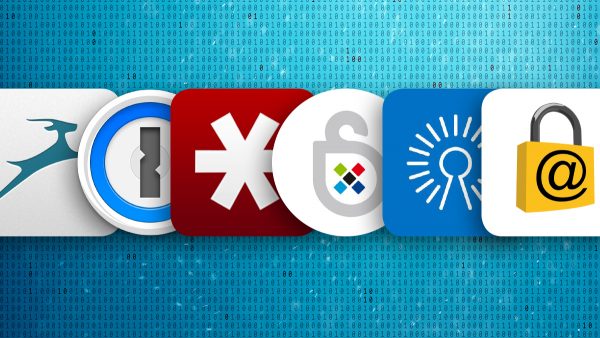
As a consequence, many small businesses are now turning toward the use of a Password Manager (or even a Mobile App) along the lines of something like LastPass. This is to help workers not only create robust passwords, but to help remember them as well.
So, what exactly is a Password Manager?
It can be defined as a specific application which has been designed to create passwords which are hard to crack. They’ll also help the end user (your worker) store and use their passwords more securely.
The intent is to reduce the risk of the password being used against the business (or person) in a cyber attack.
Another good thing with Password Managers is that the passwords which are stored in these applications are encrypted.
The Password Managers themselves can be stored locally onto the worker’s workstation or even in the cloud, if their employer provides this resource to them. The former can be referred to as “Offline Storage” and the latter is often known as “Online Storage” (this is discussed in more detail later) or “Cloud Storage.”
The basic premise of the Password Manager is to give the worker the ability to store all of their complex passwords into a single repository, and recall them quickly as needed.
This ultimately raises your workers’ productivity and security.
The Small Business Benefits of Using a Password Manager
These Password Manager applications bring with them many benefits, which include the following:
1. Only one password is needed:
In order to unlock and harness the power of your newly deployed Password Manager, you only need to create one master password.
Keep in mind, however, keeping this master password secure is up to your workers. The reason for this is that the application CANNOT manage this one component. It can only secure those passwords that actually reside within it.
2. The ability to create very complex passwords:
On another note, one of the primary goals of a Password Manager is to literally “remember” those passwords which you store in it. You can now create passwords which are complex and difficult to crack so you don’t have to remember them.
In order to accomplish this task, the Password Manager uses what is known as a “random generator”, to create these complex passwords. It does this hard work for your small business, so your workers don’t have to waste their valuable work time doing this.
The end result is that it helps to prevent workers from having to write down their passwords on “Post It” notes.
3. It is very easy to change passwords:
Password resets are not only a drainage of time to the workers (and / or IT staff) of a small business, but it can also be costly as well.
For example, it can cost up to $300 (in lost time and productivity) per year per worker just to reset these passwords. On the other hand, by using a Password Manager, your workers can reset their own work-related passwords when they need to, without having to call upon the IT staff to do that work.
4. Access multiple devices:
By using a Password Manager, your workers can also access multiple wireless devices as well (such as using the same password to access a Lenovo brand laptop and an iPhone).
This makes it very easy and productive to conduct work related tasks, especially if the worker is a “road warrior” (a worker that travels a lot). It can also help to reduce the security threats brought on by the BYOD (“Bring Your Own Device”) trend.
This is where a worker uses their own, unsecure wireless device to conduct work related matters (this was also covered in a previous blog).
As small business is becoming security conscience and making workers create complex passwords, the need for using a Password Manager becomes even greater. Workers have enough job tasks to accomplish, and having to create passwords just takes extra time out of their day.
Let’s face it, every time we get that pop up message on our workstation to create a new password, we cringe at the thought of having to come up with something new.
Using a Password Manager will greatly eliminate all of these administrative headaches, and will also help to make sure that workers stay focused on their work-related responsibilities.
One of the greatest assets that a Password Manager brings to the table is that it will alert you in real time when your password appears to have been hacked, or compromised.
These are definitely things work taking into account.
Contact us today to see how we can help you implement a Password Manager at your business!